PointPerfect
PointPerfect is the high-precision GNSS correction service provided by u-blox, designed for applications that need accurate real-time positioning.
How it works
PointPerfect offers:
- compressed SPARTN corrections, which use less data than traditional RTCM
- centimetre accuracy without setting up your own RTK base stations
- uniform global coverage (unlike regional RTK services)
- atmospheric models for the ionosphere and troposphere included in the corrections
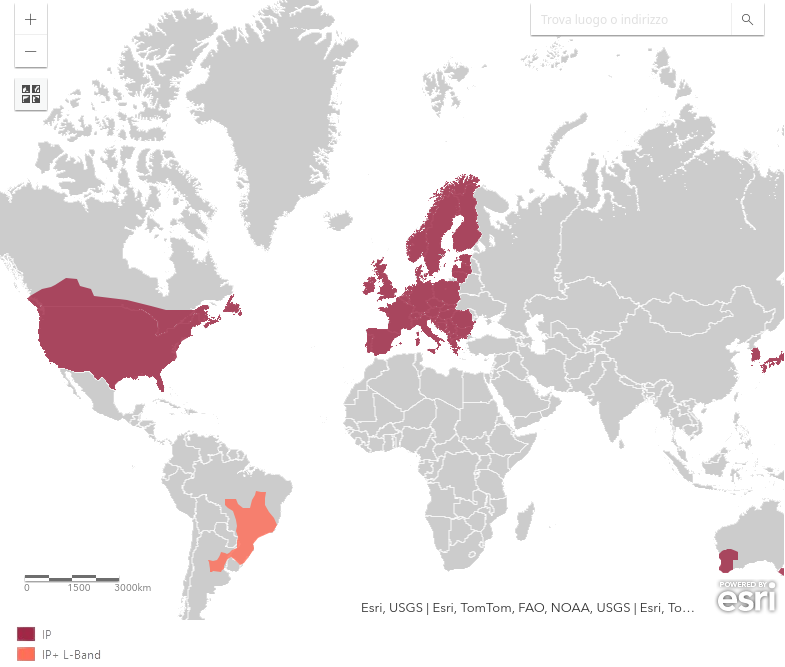
Fig.1 Global coverage of the PointPerfect service
Over IP (MQTT/TCP)
The service sends corrections over the internet using the MQTT or TCP protocol. The corrections arrive as compressed SPARTN data (Secure Position Augmentation for Real-Time Navigation), the new u-blox standard for distributing GNSS corrections. By connecting to a PointPerfect server over IP, your device (such as a ZED-F9P or a UM980) continuously receives correction data, allowing centimetre-level RTK anywhere there is an internet connection.
Over NTRIP
PointPerfect also distributes SPARTN corrections through standard NTRIP servers, the same protocol used for traditional RTCM corrections. This lets you receive compressed SPARTN on any compatible GNSS device without needing dedicated MQTT libraries: you simply connect to the NTRIP caster with your PointPerfect credentials.
Over L-band (satellite)
Instead of using the internet, you receive the corrections through a dedicated satellite signal on a specific L-band frequency (around 1.55 GHz). This removes the need for an IP connection and is ideal for remote areas with no data coverage. The signal is continuous and broadcast, so there is no network latency.
Activating the service
PointPerfect offers a free 30-day trial period so you can test the SPARTN correction service.
To activate the free trial, register on the portal https://portal.thingstream.io/register with your credentials. Once the service is active you will receive SPARTN corrections free of charge for 30 days. After the 30 free days, PointPerfect offers several paid plans:
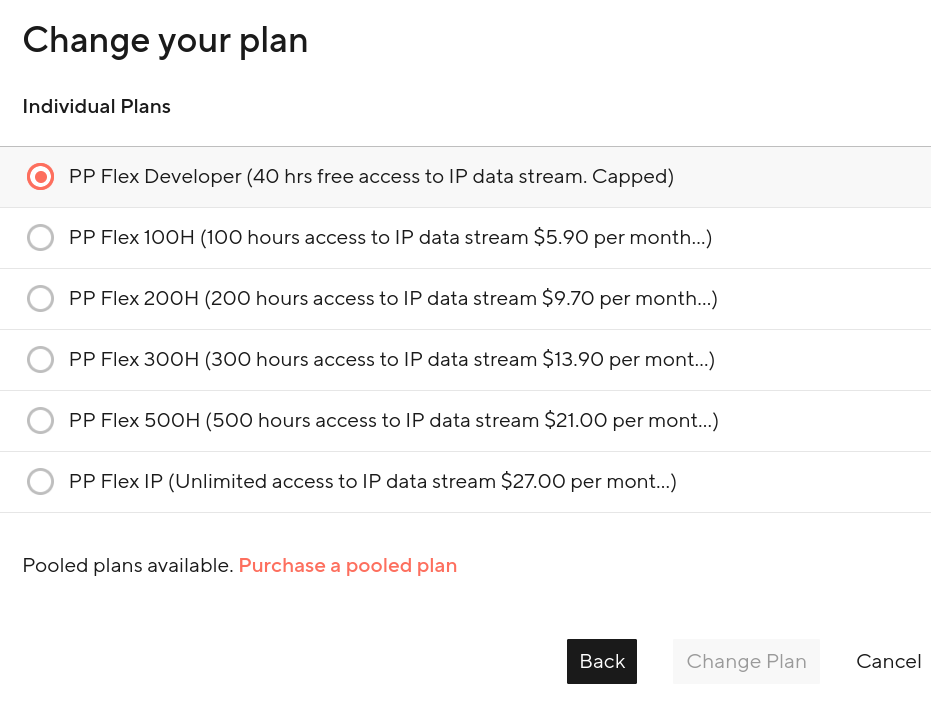
Fig.2 Paid plans of the PointPerfect service
Prices depend on the volume of data used, the number of devices and the length of the subscription (monthly, yearly). You can monitor your data usage from the u-blox portal and change plan at any time according to your needs.
At the bottom of the page a video explains how the service works in practice and what it can do.
Warning
The MS2 receiver has to be configured so that it can receive and process PointPerfect corrections in SPARTN format. The receiver needs firmware 1.32 or later, which enables native SPARTN support. In u-center:
- CFG > PRT (Ports) - select the UART port on which the SPARTN corrections will arrive and set the appropriate baud rate
- MSG > RXM-SPARTN - enable the output of the SPARTN messages received, so you can monitor the incoming corrections
Without this configuration the receiver ignores the SPARTN data and will not reach the centimetre accuracy promised.
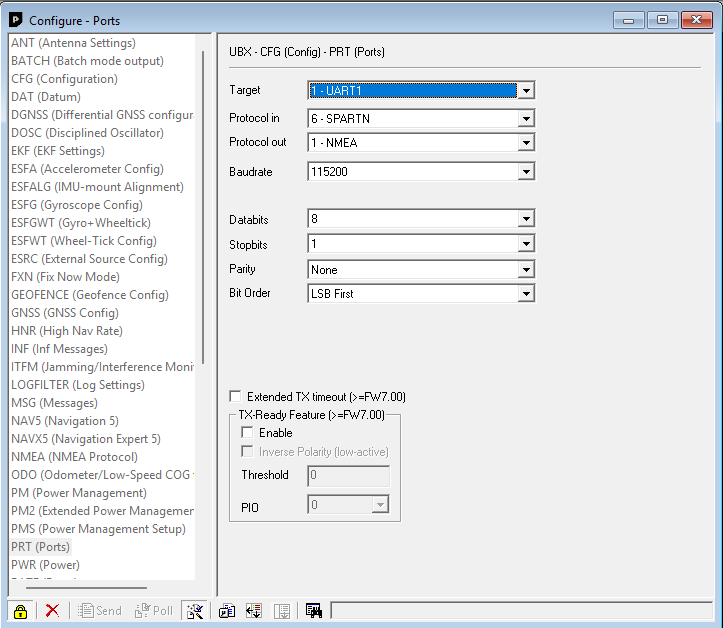
Fig.3 Enabling SPARTN as an input protocol
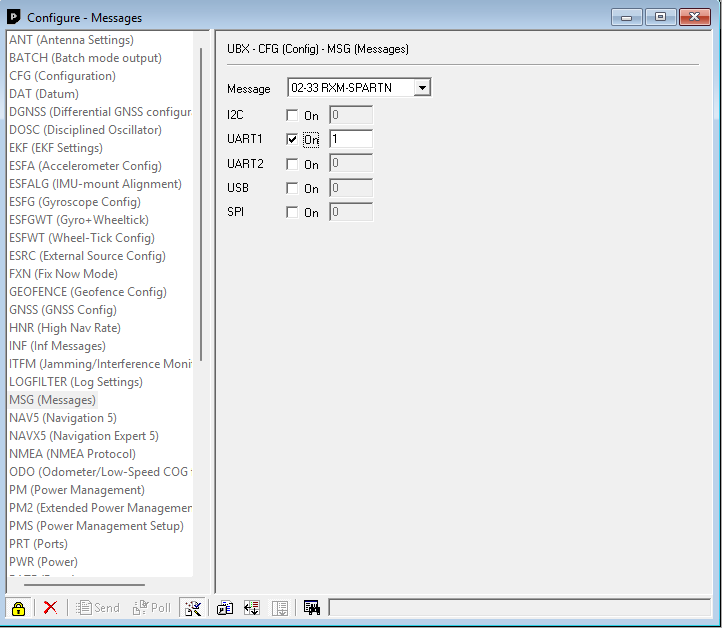
Fig.4 Enabling the proprietary RXM-SPARTN message